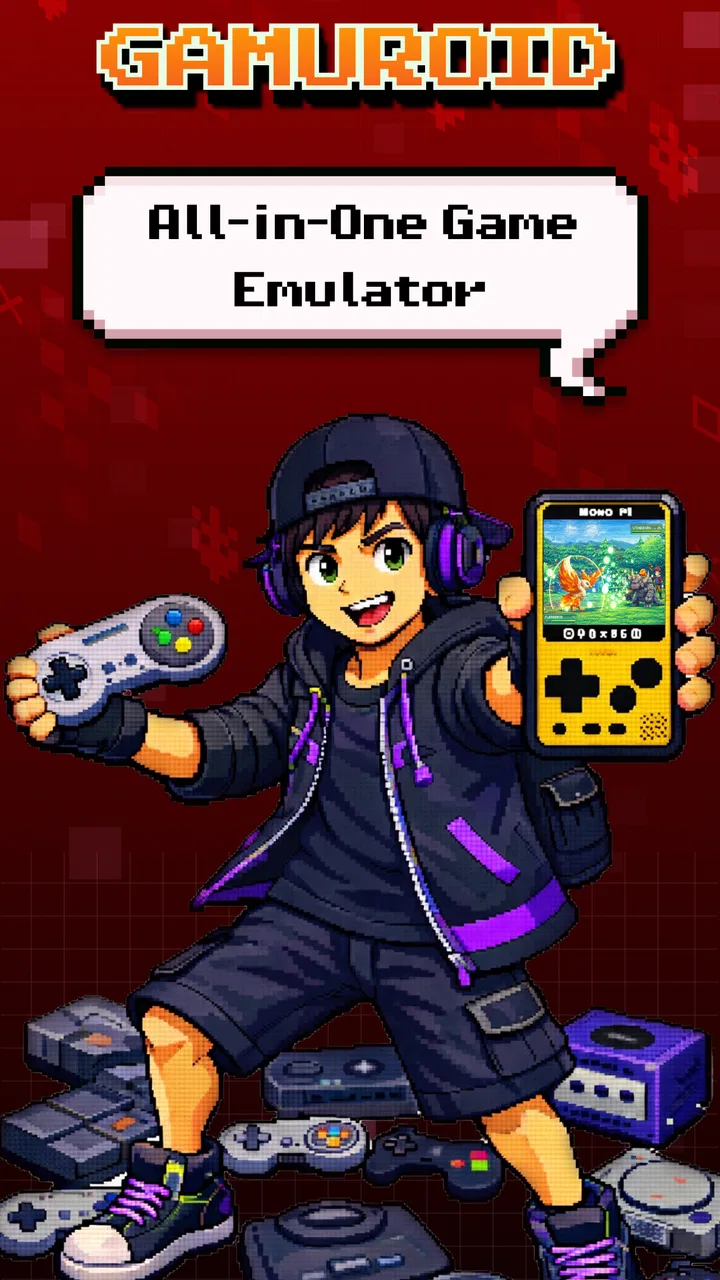
Gamuroid: All Game Emulator
- 4.0
- Rating
- 100.00K
- Installs
- Free
- Price

 Analysis by App-foxy
I spent time with Gamuroid: All Game Emulator as an arcade-style Android game, and my first impression is that its appeal comes from convenience rather than from presenting one new game with a long campaign. It is made by RETRO GAMING LABS and is built around the idea of bringing classic console-style play into one place. That makes it interesting for anyone who enjoys short nostalgic sessions, but it also means your experience depends heavily on what you expect from an emulator rather than from a conventional arcade release.
The central promise is simple: use one app to revisit classic games across multiple consoles, with an emphasis on quick access and smooth play. In practice, that makes it a different proposition from downloading a single modern arcade title. I see it as a flexible retro-gaming tool with an arcade label, not as a focused game with its own characters, levels, and progression. That distinction matters before you decide whether it deserves space on your phone.
What Gamuroid offers and what its free access really means
The app is free to install, which gives curious players an easy way to try it without committing money at the start. That is the clearest part of its value: you can explore the experience before deciding whether it fits your habits. There are also in-app purchases ranging from $1.99 to $19.99 per item, so “free” should be understood as free entry rather than a guarantee that every possible part of the experience costs nothing.
You May Also Like

 Blood Strike: 2.5 Anniversary
Blood Strike’s Loadouts Turn Every Drop Into a Tactical Gamble
A close look at Blood Strike’s custom loadouts: how fast access to signature weapons reshapes its battle royale rhythm, rewards preparation, and narrows the gap between fights.

 Pandora - Music & Podcasts
Pandora’s Music Is Easy to Start, but Harder to Recover
Pandora’s strength is its low-effort path from a seed to a station. Its weak spot is how much confidence it asks you to place in connection, setup, and quiet recovery.

 8 Ball Pool
 Is Built on Rivalries, Rematches, and Routine
A close look at the rivalries, rematches, shared routines, and unanswered safety questions that turn a quick pool match into a persistent mobile community.

 Samsung Music
’s Quiet Strength Is Playing What You Already Own
Its reach comes less from spectacle than from dependable access to a personal library. That simplicity is both the app’s strongest retention engine and its ceiling.

 AccuWeather: Weather Radar
AccuWeather Review: A Quick, Clear Forecast for Everyday Decisions
For everyday plans, the best forecast is the one you can understand quickly. AccuWeather makes rain timing, radar, and local conditions easy to act on, with a few trade-offs.

 Hill Climb Racing
Why Hill Climb Racing Still Turns Crashes Into One More Run
A tiny car, a bumpy hill and one more upgrade: Hill Climb Racing keeps resurfacing because its simple chaos makes every near-miss feel personal.
More From Our News Desk
View All News


I appreciate that distinction because emulator-style apps can attract two very different audiences. One person may only want a quick way to play familiar retro material occasionally. Another may be looking for a long-term replacement for a dedicated handheld or a more advanced emulator setup. The free starting point suits the first person especially well, while the second should examine the purchase choices carefully and decide whether the additional value matches the way they actually play.
The app is listed for Everyone, which makes it approachable for families and younger players from a content-rating perspective. That rating does not automatically make every classic game equally suitable for every child, since the material available through a multi-console emulator can vary. I would still choose games together with younger users rather than handing over the whole library without supervision.
Its current version is 2.4.0, and the minimum requirement is Android 6.0. That gives it a reasonably broad technical starting point for Android users with older devices, although compatibility in real use can still vary between phones, screen sizes, controllers, and the particular games being played. I would treat the operating-system requirement as an invitation to try it, not as a promise that every device will deliver the same result.
The practical value of one retro hub
The strongest benefit is reducing friction. Instead of moving between several unrelated apps whenever you want a different retro experience, a multi-console emulator can make the phone feel more like a single compact arcade shelf. That is useful when you have only a few minutes, because the decision becomes “what do I want to play?” rather than “which app do I need to open?”
That convenience is more meaningful on a phone than it may sound. A typical everyday use case would be a commute or a short break when you want something familiar but do not want the commitment of a modern online game. You can settle into a brief session, put the phone away, and return later without needing to learn a new system. For me, that short-session flexibility is more convincing than the broad claim of supporting many consoles.
It also works well as a nostalgia sampler. Someone who remembers a few games from childhood but does not want to buy separate hardware can use the app to discover which styles still hold up. Platformers, puzzle games, simple action titles, and other compact formats tend to benefit most from this kind of setup because their basic controls translate more naturally to a touchscreen than games that demand many simultaneous inputs.
Another useful angle is experimentation. A dedicated console or handheld encourages you to stay within one ecosystem, while a multi-console app invites comparison. You can notice how different generations handled movement, menus, difficulty, and sound without changing physical devices. That makes Gamuroid more interesting for a retro enthusiast who enjoys sampling design history, not just replaying one favorite title.
Where the experience may feel less polished
Touch controls are the first trade-off I would consider. Retro games were often designed around physical buttons, and a phone screen cannot reproduce the same tactile certainty. A virtual directional pad may be fine for slower games, but fast platforming, precise dodging, or fighting-game inputs can become uncomfortable. If you already own a compatible controller, the app may become much more enjoyable; if you plan to play only with touch, choose games that do not punish small mistakes.
Screen layout is another practical issue. A phone display is not shaped like every classic game screen, so you may have to accept unused space, stretched presentation, or controls that occupy part of the image. I would not judge the app solely by how a single title looks in portrait or landscape. Instead, test the orientation that feels most natural, then decide whether the controls leave enough room for your hands and the game itself.
There is also a difference between technical smoothness and authentic feel. The store summary emphasizes fast, smooth emulation, and that is an appealing goal. Even when performance is stable, however, the result may not feel identical to original hardware. Input timing, audio behavior, screen scaling, and the phone’s own touch response can all influence the experience. Players who care about exact preservation may prefer a dedicated emulator with deeper configuration, while casual users may value simplicity more.
Storage and game management can become part of the decision too. A large collection sounds attractive, but a huge library can make it harder to choose something and may encourage collecting rather than playing. I recommend starting with a small personal shortlist. Pick a few games that suit short sessions, test them with the control method you intend to use, and only then decide whether expanding your setup is worthwhile.
Three ways to get more from it
My first practical tip is to match the game to the input method before judging the emulator. Use touch controls for slower, simpler titles and reserve a physical controller for games where timing and repeated directional changes matter. This separates a limitation of phone controls from a limitation of the app itself, which can otherwise lead to an unfair verdict.
Second, use the app as a discovery tool instead of trying to recreate an entire collection immediately. Choose one game from each style you enjoy, such as a puzzle game, a platformer, and a top-down action game. This gives you a clearer sense of whether the multi-console approach is genuinely useful to you. It also helps you decide whether any paid item provides value, because you will know which kinds of sessions you actually return to.
Third, build a “short break” routine around it. Keep a handful of approachable games ready for moments when you have ten minutes, rather than selecting something that requires a long uninterrupted session. This is a small change, but it turns the app’s breadth into a practical advantage. The best use of Gamuroid is often not an all-night marathon; it is having a familiar activity available when you want a quick mental reset.
A fourth consideration is preservation and legality. An emulator is a technical tool, not a blanket permission to obtain or share copyrighted game files. I would use only game material that I have the right to use and would avoid treating the app as a shortcut around ownership. That is important for anyone building a serious retro setup, especially when moving between several console generations.
How it compares with the usual alternatives
Compared with buying original hardware, Gamuroid is more convenient and less expensive to try because the app itself is free. A phone is already portable, and you do not need to carry a console, cartridges, cables, or a separate screen. Original hardware still wins for authenticity, tactile controls, and the feeling of using the system as it was designed. If those details are the main reason you love retro gaming, an emulator may feel like a compromise rather than an upgrade.
Compared with a single-game arcade app, the advantage is variety. A focused title can offer cleaner controls, a more consistent presentation, and a clearer progression loop, while Gamuroid gives you a broader playground. I would choose the single-game option when I want one polished experience that is easy to understand. I would choose this app when I want to browse, compare, and revisit different kinds of classic play.
Compared with a dedicated emulator aimed at enthusiasts, Gamuroid appears more approachable in concept. A specialist tool may offer more detailed settings and a more deliberate workflow, but that flexibility can create setup work. The trade-off is straightforward: Gamuroid is better for a person who wants to get to retro play quickly, while a more advanced alternative is better for someone who enjoys tuning performance, display behavior, and controls.
Modern cloud or subscription gaming services offer a different kind of convenience. They may provide newer games and account-based libraries, but they usually depend more on connectivity and are less focused on the compact, pick-up-and-play character of older titles. Gamuroid makes more sense when you want local-feeling retro sessions and do not need the latest releases or online competition.
Who will find real value here?
I think the best audience is the casual retro player who wants breadth without buying a separate device. The free entry makes it easy to test, the Everyone rating keeps the presentation broadly approachable, and the multi-console idea gives you more room to explore than a single arcade download. It is also a sensible option for someone who remembers classic games but is unsure which ones still deserve their time today.
It can suit families as a shared discovery app, provided an adult chooses appropriate games and checks whether the controls are comfortable for the player. It may also appeal to students, commuters, and office workers who prefer short offline-style entertainment over competitive games that demand constant attention. The key is to keep expectations realistic: this is most useful when convenience and variety matter more than perfect authenticity.
I would be more cautious if you are a serious preservation enthusiast, a competitive player, or someone who expects every game to feel perfect on a touchscreen. You may prefer original hardware or a specialist emulator with more control. I would also skip it if you dislike managing a varied library and would rather have one modern arcade game with a clear progression system. Gamuroid’s flexibility is a benefit only if you enjoy choosing between different experiences.
The purchase range deserves a personal value check rather than an automatic recommendation. Since the app can be installed for free, begin with the no-cost experience and observe how often you return. If it becomes part of your routine, a paid item may feel reasonable; if you only open it once for nostalgia, spending more would be difficult to justify. I would not pay simply because the library sounds broad. I would pay only after identifying a real use pattern.
My verdict after weighing the trade-offs
Gamuroid: All Game Emulator is a worthwhile free starting point for Android users who want a convenient retro arcade hub and are comfortable with the compromises of playing on a phone. RETRO GAMING LABS has chosen an appealing direction: make classic-style gaming easy to reach, keep the initial barrier low, and bring several console experiences into one app. With over 100K installs, it has clearly attracted meaningful interest, while its 3.6 average from roughly 250 ratings suggests that the experience is useful for some players but not universally convincing.
That rating feels believable to me because the app’s strengths and weaknesses are closely connected. Its breadth can make it more useful than a single-game download, but breadth does not guarantee perfect controls, presentation, or compatibility for every title. The same phone that makes the app wonderfully portable can also make demanding games less comfortable. Your controller, screen size, patience with setup, and taste in retro games will matter more than the headline promise.
My recommendation is to try the free version first, begin with games suited to short sessions, and test both touch input and a controller if you have one. Give yourself enough time to decide whether you enjoy the overall workflow rather than judging it on one difficult game. If you want a convenient sampler and a pocket-sized nostalgia break, this is a sensible download. If you want original-hardware accuracy, deep technical control, or a single polished arcade campaign, I would spend your time and money elsewhere.
In short, the value is in accessible variety, not guaranteed perfection. For the right player, that is enough to make it useful every week. For the wrong player, even a free installation will not solve the basic mismatch between touchscreen convenience and the feel of classic physical controls.
FAQs for Gamuroid: All Game Emulator
01How does Gamuroid: All Game Emulator work?
Gamuroid: All Game Emulator functions by creating a virtual environment on your device that mimics the hardware of various gaming consoles. This allows you to run game ROMs, which are digital copies of games, directly on your Android or iOS device. It supports a wide range of systems, providing a versatile gaming experience.
02Is Gamuroid: All Game Emulator legal to use?
Yes, the emulator itself is legal to use as it is merely a tool for running software. However, downloading and using game ROMs without owning the original game copy is considered illegal in many jurisdictions. Always ensure you have the legal right to use ROMs with the emulator to stay compliant with copyright laws.
03What devices are compatible with Gamuroid: All Game Emulator?
Gamuroid is compatible with most modern Android and iOS devices. It is optimized for smartphones and tablets with the latest operating systems. However, for the best performance, it is recommended to use devices with robust processors and sufficient RAM to handle the emulation smoothly.
04What are the system requirements for running Gamuroid efficiently?
To run Gamuroid efficiently, it is recommended that your device have at least 2GB of RAM and a quad-core processor. Additionally, a device running Android 5.0 or higher, or iOS 11 or later, will ensure better compatibility and smoother gameplay. Adequate storage space is also necessary for game ROMs.
05Can I customize the controls in Gamuroid: All Game Emulator?
Yes, Gamuroid provides extensive options for customizing controls to suit your preferences. You can map on-screen buttons, connect external controllers via Bluetooth, and adjust settings for a more personalized gaming experience. This flexibility ensures that you can play games in a way that feels most comfortable to you.
Pros
- Supports multiple classic gaming systems.
- User-friendly interface for easy navigation.
- Smooth performance with minimal lag.
- Customizable controls for personalized gameplay.
- Regular updates with improved features.
Cons
- Limited support for newer game systems.
- Occasional crashes on older devices.
- Some games may have audio sync issues.
- Requires ROMs
- not included with the app.
- Free version contains ads.

Gamuroid: All Game Emulator
Gallery